Course Details

Elevo Labs
Full-Stack Web Development

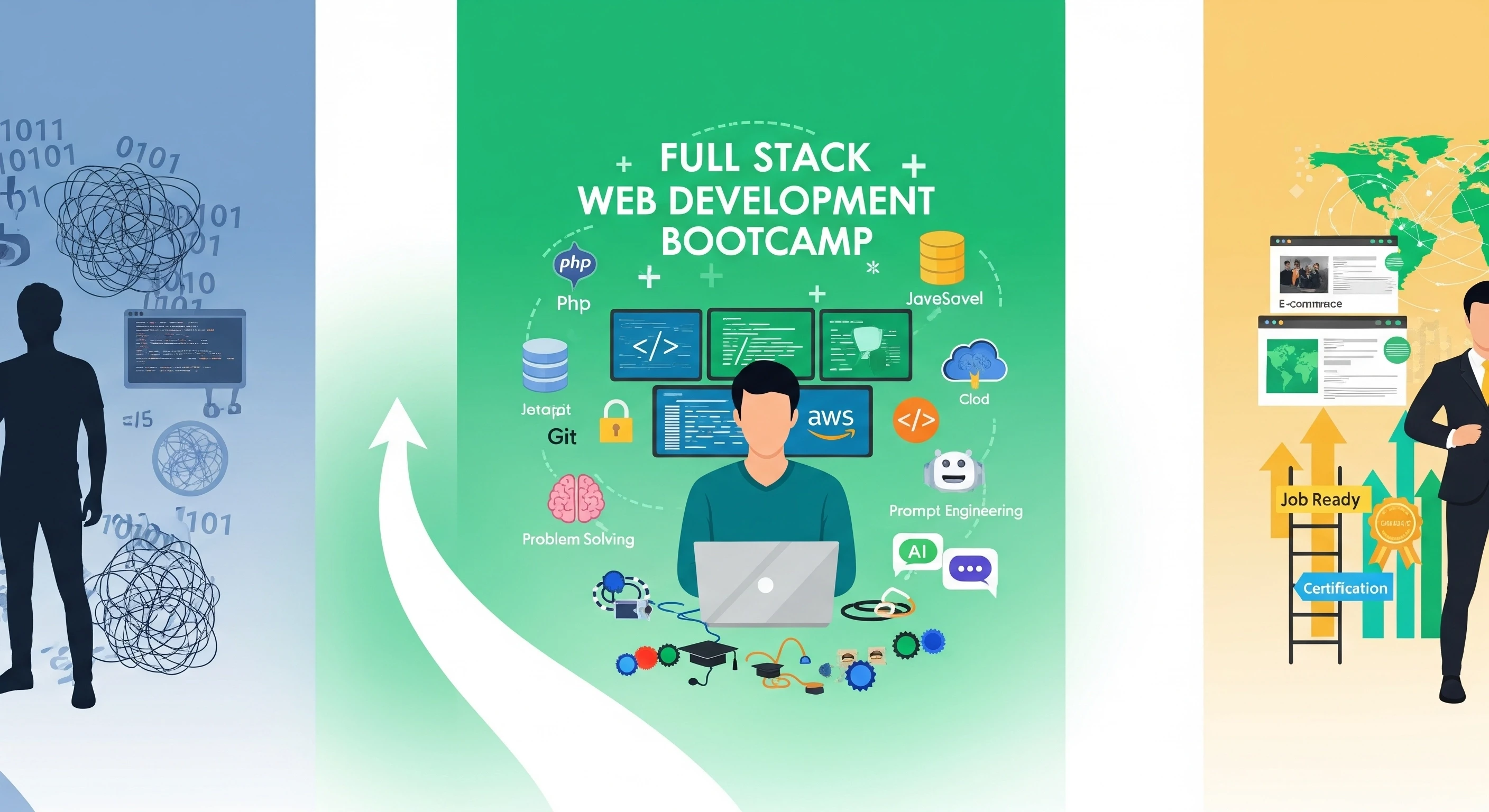
Full Stack Web Development BootCamp

Amit Chandrakar

Instructor: Amit Chandrakar

Created: 07 July, 2025
Batch Start On: 07 Aug, 2025

Course Description

Welcome to our intensive 6-month Full Stack Web Development Bootcamp, specially crafted for 12th pass students eager to dive into the world of technology. This course is designed to take you from zero to hero, building a robust foundation in computer science and equipping you with the practical skills needed to become a proficient Full Stack Web Developer.

We start with the absolute essentials: Computer Fundamentals, Network Basics, Operating Systems, and DBMS. Each concept is explained with relatable real-life analogies to ensure deep understanding, not just memorization. You'll then master Core PHP, learning its logic and Object-Oriented Programming (OOP) with practical examples that bring code to life.

Front-end development is demystified with HTML5, CSS3, and Bootstrap for creating beautiful, responsive designs. You'll add interactivity with Vanilla JavaScript, jQuery, and AJAX, making your web pages dynamic and engaging. We integrate Git & GitLab early for essential version control skills.

The backend expertise builds up with MySQL for robust database management, followed by a comprehensive dive into the powerful Laravel framework. You'll learn to build scalable, secure, and maintainable web applications, mastering Laravel's core features and best practices through hands-on projects.

Finally, we cover crucial deployment strategies: understanding Domain and Shared Hosting, and exploring AWS basics for deploying your applications to the cloud. The bootcamp culminates in a significant capstone project and dedicated career readiness modules, ensuring you're not just a coder, but a confident, job-ready developer prepared for industry success.

What You'll Learn:

  • Computer Science Foundations: Core concepts explained with real-life analogies for clear understanding.
  • PHP Mastery: From basic syntax to advanced OOP, including how PHP runs behind the scenes.
  • Front-End Expertise: Building responsive and interactive user interfaces using HTML5, CSS3, Bootstrap, Vanilla & Advanced JavaScript, jQuery, and AJAX.
  • Robust Backend Development: Database design with MySQL and powerful application development with Laravel.
  • Professional Development Tools: Practical usage of Git & GitLab for version control and collaboration.
  • Deployment & Cloud: Essential knowledge of domain management, shared hosting, and foundational AWS for cloud deployment.
  • Career Readiness: Hands-on experience with portfolio building, resume writing, and technical interview preparation.

Who Is This Course For?

This intensive 6-month course is specifically designed for 12th pass students with little to no prior programming experience who are highly motivated to kickstart a successful career in web development. It's perfect for those who thrive in a structured, practical learning environment where complex concepts are simplified with real-world examples.

Prerequisites:

  • A working computer (Windows, macOS, or Linux) with administrative access.
  • A stable, high-speed internet connection.
  • A strong willingness to learn, commit to daily study (1.5 hours/day, 5 days/week), and practice consistently.
  • Basic computer literacy and a logical mindset are beneficial.

This bootcamp features extensive hands-on coding exercises, mini-projects after each major module, a comprehensive capstone full-stack project, continuous instructor support with personalized guidance, and a verifiable certificate upon successful completion. Available in English and Hindi.


1. Introduction to Computing: What is a Computer System?
40min
2. Hardware Components: CPU - The Brain of the Computer (Analogy: Human Brain)
45min
3. Memory: RAM vs. ROM - Short-Term vs. Long-Term Memory (Analogy: Desk vs. Filing Cabinet)
40min
4. Storage Devices: Hard Drives, SSDs, USB - Where Data Lives Permanently (Analogy: Books in a Library)
45min
5. Input Devices: How Computers Receive Information (Keyboard, Mouse, Mic)
30min
6. Output Devices: How Computers Give Us Information (Monitor, Printer, Speakers)
30min
7. Software: System Software vs. Application Software (Analogy: Car Engine vs. GPS)
40min
8. Introduction to Operating Systems: Managing Computer Resources (Analogy: School Principal)
45min
9. Data Representation: How Computers Understand Numbers and Text (Binary)
50min
10. Algorithms & Flowcharts: Step-by-Step Problem Solving (Analogy: Cooking Recipe)
50min
11. Assignment 1: Build a Simple Flowchart & Algorithm for a Calculator.
1hr
12. Assignment 2: Identify and List Hardware/Software Components of a Smartphone.
45min

13. What is a Computer Network? Why Do We Need It? (Analogy: Road System)
40min
14. Types of Networks: LAN, WAN, MAN (Analogy: Local Street, Highway, City Ring Road)
45min
15. Network Topologies: How Computers are Connected (Star, Bus, Ring)
50min
16. Network Devices: Routers, Switches, Hubs - The Traffic Controllers
1hr
17. Understanding Network Protocols: Rules for Communication (Analogy: Speaking the Same Language)
55min
18. The OSI Model: A Layered Approach to Networking (Analogy: Postal Service Steps)
1hr 15min
19. TCP/IP Model: The Internet's Core Protocol Suite
1hr
20. IP Addressing: Your Computer's Address on the Network (IPv4 & IPv6)
1hr 10min
21. DNS: Translating Website Names to IP Addresses (Analogy: Phonebook)
50min
22. HTTP/HTTPS: How Web Pages Are Delivered Securely (Analogy: Secure Mail Delivery)
1hr
23. Assignment 1: Draw and Explain a Home Network Setup with Devices.
1hr
24. Assignment 2: Describe the Steps a Browser Takes to Load a Website (DNS, HTTP).
45min

25. Role of an Operating System: Managing Hardware and Software
45min
26. Types of Operating Systems: Windows, macOS, Mobile OS
50min
27. Processes: Understanding Running Programs and Their States (Analogy: Tasks in a Factory)
1hr
28. CPU Scheduling: How OS Manages Multiple Tasks (Analogy: Traffic Controller for Tasks)
1hr 15min
29. Memory Management: How OS Allocates Memory to Programs
1hr 10min
30. Virtual Memory: When RAM Isn't Enough
1hr
31. File Systems: Organizing Data on Storage (Analogy: Filing Cabinet Structure)
1hr
32. Input/Output (I/O) Management: Communicating with Devices
50min
33. Assignment 1: Explain the Life Cycle of a Program from Launch to Exit in OS Terms.
1hr
34. Assignment 2: Create a Simple File Structure Hierarchy (Folders/Files) on Your PC and Explain It.
45min

35. Introduction to Linux: Why it's Essential for Developers
50min
36. Basic Linux File System Navigation (`ls`, `cd`, `pwd`)
1hr
37. File Operations: Creating, Copying, Moving, Deleting (`touch`, `cp`, `mv`, `rm`)
1hr 15min
38. Directory Operations: Creating and Removing (`mkdir`, `rmdir`)
45min
39. Viewing File Contents: `cat`, `less`, `more`, `head`, `tail`
1hr
40. Permissions: Understanding `chmod` and `chown`
1hr 10min
41. Users and Groups Management
50min
42. Package Managers: `apt` (Ubuntu/Debian) Basics
1hr
43. Introduction to Shell Scripting (Basic Commands & Variables)
1hr 30min
44. Assignment 1: Create a Directory Structure and Manage Files Using only CLI Commands.
1hr
45. Assignment 2: Change File Permissions and Explain Their Impact.
45min

46. Introduction to DBMS: What is a Database? Why Use It? (Analogy: Organized Library vs. Messy Room)
45min
47. Database Models: Focus on Relational Model (RDBMS) - Tables and Relationships
1hr
48. Database Schema vs. Instance: Blueprint vs. Actual Data
40min
49. Keys in RDBMS: Primary, Foreign, Candidate, Super Key (Analogy: Unique IDs, Connecting Links)
1hr 10min
50. Introduction to SQL: The Language of Databases
50min
51. SQL DDL (Data Definition Language): `CREATE`, `ALTER`, `DROP` Tables
1hr
52. SQL DML (Data Manipulation Language): `INSERT` Data into Tables
50min
53. SQL DML: `SELECT` Statement - Retrieving Data
1hr
54. SQL DML: `UPDATE` and `DELETE` Data
50min
55. Database Normalization: Organizing Data to Avoid Redundancy (1NF, 2NF, 3NF)
1hr 30min
56. ACID Properties: Ensuring Reliable Transactions (Analogy: Banking Transactions)
1hr
57. Assignment 1: Design a Simple Database Schema for a School, including Tables and Relationships.
1hr
58. Assignment 2: Write SQL Queries to Create, Insert, Select, Update, and Delete data in your designed schema.
45min

59. Setting Up Your PHP Development Environment (XAMPP/WAMP/MAMP) - Practical Setup
1hr
60. How PHP Works Behind the Scenes: Server, PHP Interpreter, Zend Engine, SAPI
1hr 15min
61. PHP Syntax, Comments, and Basic Output (`echo`, `print`)
40min
62. Variables: Declaring, Naming Rules, and Data Types (Integer, Float, String, Boolean)
1hr
63. Compound Data Types: Arrays and Objects (Introduction)
50min
64. Special Data Types: `NULL` and `Resource`
30min
65. Type Juggling (Loose Comparison) vs. Strict Type Declaration (PHP 7+)
45min
66. Operators: Arithmetic, Assignment, Comparison (== vs ===)
1hr
67. Operators: Logical, Increment/Decrement, String Concatenation
50min
68. Constants and Magic Constants (e.g., `__FILE__`, `__LINE__`)
40min
69. Conditional Statements: `if`, `else`, `elseif`
1hr
70. Conditional Statements: `switch` Statement
45min
71. Looping Constructs: The `for` Loop (Counting Iterations)
50min
72. Looping Constructs: The `while` Loop (Condition-Based)
45min
73. Looping Constructs: The `do-while` Loop (Guaranteed First Execution)
30min
74. Looping Constructs: The `foreach` Loop for Arrays (Easy Iteration)
50min
75. Control Statements: `break` and `continue` in Loops
30min
76. Functions: Defining and Calling User-Defined Functions
1hr
77. Function Parameters: Default Values, Passing by Value vs. Reference
1hr 10min
78. Built-in PHP Functions: String Manipulation (e.g., `strlen`, `str_replace`)
1hr
79. Built-in PHP Functions: Array Manipulation (e.g., `count`, `array_push`, `sort`)
1hr 15min
80. Built-in PHP Functions: Math and Date/Time Functions
50min
81. Anonymous Functions (Closures) and Arrow Functions (PHP 7.4+)
1hr
82. Understanding PHP Superglobals: `$_SERVER`, `$_REQUEST`, `$_GET`, `$_POST` (PHP-side processing)
1hr 30min
83. PHP Session Management: Storing User Data Across Pages (Analogy: Shopping Cart)
1hr 20min
84. PHP Cookie Management: Storing Data on User's Browser (Analogy: Remembering Preferences)
1hr 10min
85. File System Operations: Reading and Writing to Files
1hr 15min
86. File Uploads: Handling User-Uploaded Files (PHP-side processing)
1hr 30min
87. Error Handling in PHP: Error Reporting Levels and `try-catch` Blocks (Basics)
1hr
88. Including External PHP Files: `include`, `require`, `_once` variants
40min
89. Assignment 1: Create a PHP Script to Process a Simple HTML Form (GET/POST) and Display Submitted Data.
1hr 30min
90. Assignment 2: Implement a User Login/Logout System using PHP Sessions.
1hr 45min

91. Introduction to OOP: Why Use It? (Analogy: Lego Bricks for Code)
50min
92. Classes and Objects: Defining Blueprints and Creating Instances
1hr
93. Properties (Attributes) and Methods (Behaviors) of Objects
50min
94. Constructors (`__construct`): Initializing Objects
45min
95. Encapsulation: Hiding Data with Access Modifiers (`public`, `private`, `protected`)
1hr 15min
96. Inheritance: Reusing Code with Parent-Child Classes
1hr 10min
97. Method Overriding: Customizing Inherited Behavior
50min
98. Polymorphism: Objects Behaving Differently Based on Type
1hr
99. Abstract Classes and Methods: Defining Partial Blueprints
1hr
100. Interfaces: Defining Contracts for Classes
50min
101. Traits: Reusing Methods Across Unrelated Classes
40min
102. Namespaces: Organizing Code to Avoid Naming Conflicts
1hr
103. Static Properties and Methods: Class-Level Members
45min
104. Magic Methods (e.g., `__get`, `__set`, `__call`) - Advanced Usage
1hr 15min
105. Assignment 1: Design a Class Hierarchy for Vehicles (Car, Bike, Truck) showcasing Inheritance and Polymorphism.
1hr 30min
106. Assignment 2: Implement a simple PHP class with Encapsulation and demonstrate its usage.
1hr 15min

107. Introduction to Algorithmic Thinking & Problem Decomposition
50min
108. Understanding Time and Space Complexity (Big O Notation) Basics
1hr
109. Check if a Number is Even or Odd
30min
110. Find the Largest of Three Numbers
35min
111. Swap Two Numbers Without a Third Variable
35min
112. Calculate Sum of Elements in an Array
40min
113. Calculate the Average of Array Elements
40min
114. Find the Maximum Element in an Array
35min
115. Find the Minimum Element in an Array
35min
116. Convert Celsius to Fahrenheit
30min
117. Convert Fahrenheit to Celsius
30min
118. Calculate Area of a Circle
30min
119. Calculate Simple Interest
30min
120. Find Hypotenuse of a Right Triangle
40min
121. Check if a String is Empty
30min
122. Get Length of a String
30min
123. Convert String to Uppercase
35min
124. Convert String to Lowercase
35min
125. Concatenate Two Strings
30min
126. Check if an Element Exists in an Array
30min
127. Find the Index of an Element in an Array
40min
128. Count Occurrences of an Element in an Array
45min
129. Remove a Specific Element from an Array
45min
130. Add an Element to an Array
40min
131. Reverse a String
45min
132. Count Vowels in a String
40min
133. Check for Palindrome (String)
50min
134. Check for Palindrome (Number)
55min
135. Reverse an Integer
50min
136. Calculate Factorial of a Number
40min
137. Generate Fibonacci Series (First N terms)
50min
138. Check if a Number is Prime
55min
139. Sum of Digits of a Number
45min
140. Print Multiplication Table of a Number
40min
141. Find Duplicate Characters in a String
1hr
142. Remove Duplicate Characters from a String
1hr
143. Check if a String Contains Only Digits
45min
144. Count Words in a Sentence
45min
145. Implement String Trim (Remove leading/trailing spaces)
50min
146. Merge Two Arrays (Simple Concatenation)
40min
147. Sort an Array (Using Built-in Function)
40min
148. Find the Second Smallest Element in an Array
50min
149. Check if an Array is Sorted
45min
150. Find Sum of Even Numbers in an Array
50min
151. Implement a Simple Calculator (Addition, Subtraction)
1hr
152. Solve FizzBuzz Problem
45min
153. Generate Random Number within a Range
30min
154. Check Leap Year
40min
155. Convert Number to Roman Numeral (Basic)
1hr 15min

156. Data Structures Overview: Importance and Types
50min
157. Advanced Time & Space Complexity Analysis & Asymptotic Notations
1hr 15min
158. Arrays: Dynamic Arrays and Operations
1hr
159. Singly Linked Lists: Operations (Insert, Delete, Traverse, Search)
1hr 45min
160. Doubly Linked Lists & Circular Linked Lists (Introduction)
1hr 15min
161. Stacks: LIFO Principle, Operations (Push, Pop, Peek) & Applications
1hr 30min
162. Queues: FIFO Principle, Operations (Enqueue, Dequeue, Peek) & Types
1hr 30min
163. Trees: Introduction to Trees & Binary Trees
1hr 15min
164. Binary Tree Traversals (Inorder, Preorder, Postorder)
1hr 30min
165. Binary Search Trees (BSTs): Basic Operations (Insert, Search)
1hr 45min
166. Hashing: Hash Tables, Hash Functions, Collision Resolution (Basics)
1hr 30min
167. Graphs: Introduction, Representations (Adjacency Matrix, Adjacency List)
1hr 45min
168. Graph Traversal: Breadth-First Search (BFS)
1hr 30min
169. Graph Traversal: Depth-First Search (DFS)
1hr 30min
170. Sorting Algorithms: Bubble, Selection, and Insertion Sort (Review & Analysis)
1hr 45min
171. Sorting Algorithms: Merge Sort
2hr
172. Sorting Algorithms: Quick Sort
2hr
173. Recursion: Advanced Concepts & Problems
1hr 45min
174. Assignment 1: Implement a chosen Linked List type and perform all core operations.
2hr 30min
175. Assignment 2: Apply a sorting algorithm (e.g., Merge Sort) to a dataset and analyze its performance.
2hr

176. Introduction to HTML: The Foundation of Every Web Page
40min
177. Basic HTML Document Structure: `<!DOCTYPE>`, `<html>`, `<head>`, `<body>`
30min
178. Head Section: Title, Meta Tags, Linking CSS/JS
40min
179. Text Formatting: Headings, Paragraphs, Bold, Italic, Line Breaks
45min
180. Hyperlinks: Creating Connections Between Pages (Internal/External)
50min
181. Images: Inserting and Controlling with `src`, `alt`, `width`, `height`
1hr
182. Lists: Ordered, Unordered, and Definition Lists
30min
183. Tables: Structuring Tabular Data
1hr
184. HTML5 Semantic Elements: `header`, `nav`, `main`, `article`, `section`, `aside`, `footer`
1hr 15min
185. HTML Forms: `form` tag, `input` types (text, password, email, number)
1hr 30min
186. More Form Elements: Textarea, Select, Checkbox, Radio, Submit Buttons
1hr 10min
187. Media Elements: Embedding Audio and Video
40min
188. Assignment 1: Create a Multi-page HTML Website for a small business (e.g., About Us, Services, Contact Form).
1hr 30min
189. Assignment 2: Implement a Complex HTML Form including various input types, dropdowns, and text areas.
1hr 15min

190. Introduction to CSS: Making Websites Beautiful
40min
191. Ways to Add CSS: Inline, Internal, External Stylesheets
45min
192. CSS Selectors: Type, Class, ID (Specificity Hierarchy)
1hr
193. CSS Selectors: Descendant, Child, Adjacent Sibling, General Sibling
1hr
194. CSS Selectors: Pseudo-classes (`:hover`, `:active`, `:focus`, `:nth-child`)
1hr 15min
195. CSS Selectors: Pseudo-elements (`::before`, `::after`)
45min
196. The Box Model: Content, Padding, Border, Margin Explained
1hr 15min
197. Styling Text: Fonts, Colors, Alignment, Line Height, Text Shadows
1hr
198. Background Properties: Color, Image, Repeat, Position
50min
199. Border and Outline Properties
40min
200. CSS `display` Property: `block`, `inline`, `inline-block`, `none`
1hr
201. CSS Floats and Clearing Floats for Layouts
1hr
202. CSS Positions: `static`, `relative`, `absolute`, `fixed`, `sticky`
1hr 15min
203. Flexbox for Responsive Layouts: Flex Container Properties
1hr 30min
204. Flexbox for Responsive Layouts: Flex Item Properties
1hr 15min
205. CSS Grid for 2D Layouts: Grid Container Properties
1hr 30min
206. CSS Grid for 2D Layouts: Grid Item Properties
1hr 15min
207. Responsive Design with Media Queries: Adapting to Different Devices
1hr 30min
208. CSS Transitions for Smooth Animations
1hr
209. CSS Animations: Keyframes and Animation Properties
1hr 15min
210. Assignment 1: Recreate a given complex website layout using CSS Grid and Flexbox for responsiveness.
2hr
211. Assignment 2: Implement custom CSS animations and transitions on elements based on user interaction (e.g., hover effects).
1hr 45min

212. Introduction to Bootstrap: What is it and Why Use a Framework?
40min
213. Setting Up Bootstrap: CDN vs. Local Installation
30min
214. Bootstrap Grid System: Containers, Rows, and Columns
1hr 15min
215. Responsive Breakpoints in Bootstrap (`sm`, `md`, `lg`, `xl`)
45min
216. Bootstrap Typography and Utility Classes (Margins, Padding, Colors)
1hr
217. Bootstrap Navigation Bar (Navbar) Component
1hr 15min
218. Bootstrap Buttons, Alerts, and Badges
50min
219. Bootstrap Forms: Layouts, Controls, and Validation States
1hr 30min
220. Bootstrap Cards and Media Objects
1hr
221. Bootstrap Carousels and Modals
1hr 10min
222. Bootstrap Accordions, Tabs, and Tooltips
1hr
223. Customizing Bootstrap: Basic Theming
1hr
224. Project: Building a Responsive Website with Bootstrap
2hr
225. Assignment 1: Convert a non-responsive HTML/CSS page into a fully responsive Bootstrap layout.
1hr 45min
226. Assignment 2: Build a dynamic image gallery using Bootstrap Modals and Carousel components.
1hr 30min

227. Introduction to Version Control: Why We Use Git (Analogy: Document Revisions)
50min
228. Git Installation and Initial Setup on Your System
30min
229. Basic Git Commands: `git init`, `git add`, `git commit`
1hr
230. Checking Status and Diffs: `git status`, `git diff`, `git log`
1hr
231. Understanding the Git Workflow: Working Directory, Staging Area, Local Repository
1hr
232. Git Branching: Creating, Listing, and Switching Branches (Analogy: Parallel Workflows)
1hr 15min
233. Git Merging: Combining Work from Different Branches
1hr 15min
234. Resolving Merge Conflicts Step-by-Step
1hr
235. Working with Remote Repositories: `git clone`, `git remote` (GitLab)
1hr
236. Pushing and Pulling Changes to/from GitLab
1hr 15min
237. Collaborative Workflow on GitLab: Forking and Merge Requests
1hr 30min
238. Undoing Changes in Git: `git revert` and `git reset` (Soft, Mixed, Hard)
1hr 15min
239. Assignment 1: Create a new project, make multiple commits on different branches, then merge them and resolve a conflict.
1hr 30min
240. Assignment 2: Push your local project to a GitLab repository and collaborate with a mock team member (simulated).
1hr 15min

241. Introduction to JavaScript: Making Web Pages Interactive
50min
242. Variables (`var`, `let`, `const`), Data Types (Primitives & Objects), Type Coercion
1hr 15min
243. Operators: Arithmetic, Comparison, Logical, Assignment, Ternary
1hr
244. Control Flow: If/Else If/Else Statements
1hr
245. Control Flow: Switch Statements
45min
246. Loops: `for` Loop and `while`/`do-while` Loops
1hr
247. Loops: `for...of` and `for...in` Loops
50min
248. Functions: Declarations, Expressions, Arrow Functions, Parameters, Return Values
1hr 30min
249. Scope in JavaScript: Global, Function, Block Scope
1hr
250. Arrays: Creation, Access, and Basic Methods (`push`, `pop`, `shift`, `unshift`)
1hr
251. Arrays: Advanced Methods (`map`, `filter`, `reduce`, `forEach`)
1hr 30min
252. Objects: Creation, Properties, Methods, and `this` Keyword
1hr 15min
253. Object Destructuring and JSON Format
1hr
254. The Document Object Model (DOM): The HTML Structure as an Object Tree
1hr 30min
255. DOM Selection Methods: `getElementById`, `querySelector`, `querySelectorAll`
1hr 15min
256. DOM Manipulation: Changing Content (`innerText`, `innerHTML`) and Attributes
1hr 10min
257. DOM Manipulation: Modifying Styles and Classes
1hr
258. DOM Manipulation: Creating, Appending, and Removing Elements
1hr 20min
259. Event Handling: Attaching Event Listeners (`addEventListener`)
1hr 30min
260. Event Object, Bubbling, Capturing, and Event Delegation
1hr 15min
261. Basic Debugging with Browser Developer Tools
45min
262. Assignment 1: Build a dynamic To-Do List application with add, delete, and mark as complete functionalities using Vanilla JS and DOM manipulation.
2hr
263. Assignment 2: Create a simple image carousel/slider that changes images automatically and on button click using event listeners.
1hr 45min

264. ES6 Features Overview: `let`, `const`, Arrow Functions Recap
50min
265. Template Literals for Cleaner Strings
40min
266. Destructuring Assignment (Arrays and Objects)
1hr
267. Spread and Rest Operators (`...`)
1hr
268. Classes in JavaScript (Syntactic Sugar over Prototypes)
1hr 15min
269. Modules: `import` and `export` for Organized Code
1hr 30min
270. Promises: Handling Asynchronous Operations More Effectively
1hr 45min
271. Async/Await: Simplifying Asynchronous Code
1hr 30min
272. Fetch API: Modern Way to Make HTTP Requests
1hr 15min
273. Generators and Iterators (Introduction)
50min
274. Set and Map Data Structures
1hr
275. Assignment 1: Convert an existing callback-based asynchronous function to use Promises and then Async/Await.
1hr 30min
276. Assignment 2: Build a simple data fetching application using the Fetch API and display the data dynamically.
1hr 15min

277. Why jQuery? Introduction to its Core Features and Advantages
45min
278. Setting Up jQuery in Your Project
30min
279. jQuery Selectors: Mastering Element Selection (Advanced)
1hr 15min
280. DOM Manipulation with jQuery: Simplified Methods
1hr 30min
281. Event Handling with jQuery: `on()`, `off()`, Common Events
1hr 10min
282. jQuery Effects: `show()`, `hide()`, `toggle()`, `fadeIn()`, `fadeOut()`, `slideUp()`, `slideDown()`
1hr 15min
283. Custom Animations with the `.animate()` Method
1hr
284. Chaining Methods and Callbacks for Sequential Operations
50min
285. Traversing the DOM with jQuery: `parent()`, `children()`, `siblings()`, `next()`, `prev()`
1hr
286. Assignment 1: Recreate a complex DOM manipulation task (e.g., adding/removing multiple rows in a table) using jQuery, demonstrating simplified code.
1hr 30min
287. Assignment 2: Implement a series of chained animations and effects on different elements of a webpage using jQuery.
1hr 15min

288. Understanding Asynchronous Programming in Web Development
50min
289. The Need for AJAX: Enhancing User Experience Without Page Reloads
40min
290. The XMLHttpRequest (XHR) Object: Making Native AJAX Requests
1hr 15min
291. Sending Data to the Server with AJAX (GET vs. POST methods)
1hr
292. Handling Server Responses: Parsing JSON Data
1hr
293. AJAX with jQuery: Simplified `.ajax()`, `.get()`, `.post()`, `.getJSON()` Methods
1hr 30min
294. Displaying Dynamic Content and Basic Error Handling in AJAX
1hr 15min
295. Practical AJAX Example: Live Search Functionality
1hr
296. Practical AJAX Example: Dynamic Form Submission
1hr
297. Assignment 1: Build a page that loads content dynamically from a JSON API (mock or real) into specific HTML elements without a full page reload.
1hr 45min
298. Assignment 2: Create a contact form that sends data to a PHP script using AJAX and displays a success/error message without redirecting.
1hr 30min

299. Introduction to Prompt Engineering for Developers: What is it and Why it Matters?
1hr
300. Crafting Effective Prompts: Clarity, Context, Constraints, Examples (CCE Framework)
1hr 30min
301. Using AI for Code Generation and Autocompletion (e.g., GitHub Copilot, Gemini in IDEs)
1hr 45min
302. AI for Debugging and Error Resolution: Asking the Right Questions
1hr 30min
303. AI for Code Refactoring and Optimization Suggestions
1hr
304. Leveraging AI for Learning New Concepts and APIs Quickly
1hr 15min
305. The 'Vibe' of Efficient Coding: Setting Up Your Environment (Editor, Extensions, Themes)
1hr
306. Keyboard Shortcuts and Workflow Automation for Speed
50min
307. Mastering Debugging Tools for Faster Problem Solving
1hr 30min
308. Best Practices for Integrating AI into Your Development Workflow Responsibly
1hr 15min
309. Assignment 1: Use an AI coding assistant to generate a complex function based on a detailed prompt and then refine it.
2hr
310. Assignment 2: Given a code snippet with an error, use AI to diagnose and suggest fixes, then implement the solution.
1hr 45min

311. Introduction to MySQL: Installation and Tools (Workbench/phpMyAdmin)
1hr
312. Database Design Principles: ER Diagrams and Relational Schema (Practical)
1hr 30min
313. Normalization Forms (1NF, 2NF, 3NF) with Practical Examples
1hr 45min
314. SQL DDL: `CREATE DATABASE`, `USE`, `CREATE TABLE` (including Constraints)
1hr 30min
315. SQL DDL: `ALTER TABLE`, `DROP DATABASE`, `DROP TABLE`
1hr
316. SQL DML: `INSERT` Data into Tables (Single & Multiple Rows)
1hr
317. SQL DML: `UPDATE` and `DELETE` Records
50min
318. SQL `SELECT` Statement: Basic Queries, `DISTINCT`, `WHERE` Clause
1hr 15min
319. SQL Filtering: `AND`, `OR`, `NOT`, `LIKE`, `IN`, `BETWEEN`
1hr
320. SQL Ordering and Limiting: `ORDER BY`, `LIMIT`, `OFFSET`
50min
321. Aggregate Functions (`COUNT`, `SUM`, `AVG`, `MIN`, `MAX`) with `GROUP BY` and `HAVING`
1hr 30min
322. SQL Joins: `INNER JOIN`, `LEFT JOIN`, `RIGHT JOIN`
1hr 45min
323. SQL Subqueries
1hr
324. Database Indexes for Performance
50min
325. Connecting PHP with MySQL using PDO (Practical Integration)
1hr 30min
326. Assignment 1: Design and Implement a normalized database for a product catalog, including categories and suppliers.
2hr
327. Assignment 2: Write complex SQL Queries involving multiple joins, subqueries, and aggregate functions to retrieve specific product information.
1hr 45min

328. Introduction to APIs: What are APIs and Why are they Essential?
1hr
329. Understanding RESTful Principles: Resources, URIs, HTTP Methods
1hr 30min
330. Designing RESTful APIs: Naming Conventions and Best Practices
1hr 15min
331. API Authentication: Token-Based Authentication (e.g., JWT, Laravel Sanctum Deep Dive)
2hr
332. API Authorization: Implementing Permissions and Roles for API Access
1hr 30min
333. Request and Response Handling in APIs (JSON Format)
1hr 15min
334. API Versioning Strategies (URI, Header, Query Parameter)
1hr
335. Rate Limiting for APIs: Protecting Your Backend
1hr
336. API Documentation with OpenAPI/Swagger (Introduction)
1hr 30min
337. Consuming External APIs (e.g., using Guzzle HTTP Client in Laravel)
1hr 45min
338. Assignment 1: Design and implement a RESTful API for a simple resource (e.g., 'Products') with CRUD operations using Laravel API routes and controllers.
2hr 30min
339. Assignment 2: Implement token-based authentication for your API and secure specific endpoints, then test with a tool like Postman.
2hr

340. Introduction to MVC Architecture and Laravel's Benefits
1hr
341. Laravel Installation and Project Setup (Composer, Artisan CLI)
1hr 15min
342. Understanding Laravel's Directory Structure and `.env` Configuration
45min
343. Laravel Routing: Defining Web Routes and Route Parameters
1hr 15min
344. Laravel Controllers: Handling Request Logic and Resource Controllers
1hr 30min
345. Blade Templating Engine: Syntax, Directives, Layouts, Components
1hr 45min
346. Databases and Migrations: Creating and Managing Tables
1hr 30min
347. Eloquent ORM: Models and Basic Database Interaction
2hr
348. Eloquent Relationships: One-to-One and One-to-Many
2hr
349. Eloquent Relationships: Many-to-Many
1hr 45min
350. Forms and Validation: Ensuring Data Integrity
1hr 30min
351. Authentication and Authorization (Basic Laravel Breeze/Jetstream)
2hr
352. Middleware: Intercepting HTTP Requests
1hr
353. Requests, Responses, and Session Management in Laravel
1hr 15min
354. File Uploads and Storage Integration
1hr
355. Queues and Jobs: Handling Background Tasks (Introduction)
1hr 15min
356. API Development with Laravel (Basics of Sanctum)
1hr 30min
357. Assignment 1: Build a CRUD application for a simple entity (e.g., 'Tasks') using Laravel Models, Migrations, Controllers, and Blade views.
2hr 30min
358. Assignment 2: Implement user authentication and basic role-based authorization for your Tasks application using Laravel's built-in features.
2hr

359. Understanding Domain Names and DNS Records (A, CNAME, MX)
1hr
360. Choosing and Registering a Domain Name
40min
361. Introduction to Web Hosting: Types (Shared, VPS, Dedicated, Cloud)
1hr
362. Shared Hosting Environment: Navigating CPanel/Plesk
1hr 15min
363. Preparing and Deploying a PHP/Laravel Application to Shared Hosting
1hr 45min
364. Managing Databases and Files on Shared Hosting
1hr
365. Setting Up SSL Certificates (HTTPS) on Shared Hosting
1hr
366. Assignment 1: Map a custom domain name to a sub-directory on a shared hosting account and verify DNS propagation.
1hr 15min
367. Assignment 2: Successfully deploy a simple static HTML/CSS website to a shared hosting environment and ensure it's accessible via HTTPS.
1hr

368. Introduction to Cloud Computing and the AWS Ecosystem
1hr
369. AWS Global Infrastructure: Regions, Availability Zones
45min
370. AWS Identity and Access Management (IAM) Basics
1hr 15min
371. Amazon EC2 (Elastic Compute Cloud): Launching Your First Virtual Server
1hr 45min
372. Connecting to EC2 Instances (SSH) and Basic Server Commands
1hr
373. Amazon S3 (Simple Storage Service): Storing Web Assets in the Cloud
1hr 15min
374. Amazon RDS (Relational Database Service): Managed MySQL Databases
1hr 30min
375. Basic Laravel Application Deployment on AWS (EC2 & RDS - Practical Overview)
2hr
376. Assignment 1: Launch an EC2 instance, connect to it via SSH, and install a web server (e.g., Apache/Nginx).
2hr
377. Assignment 2: Create an S3 bucket, upload a file, and configure it for public access (for a static website).
1hr 30min

378. Project Kick-off: Planning the Blogging Site Features (Frontend & Backend)
1hr 30min
379. Setting up the Development Environment and Initial Laravel Project
1hr
380. Designing the Database Schema for Blog Posts, Users, Categories, Comments
2hr
381. Implementing User Authentication (Registration, Login, Logout)
2hr
382. Creating Models and Migrations for Blog Posts and Related Tables
1hr 45min
383. Developing the Admin Panel: CRUD for Blog Posts (Create, Read, Update, Delete)
2hr 30min
384. Implementing Image Upload for Blog Posts (Storage Integration)
1hr 30min
385. Frontend Development: Displaying Blog Posts (Listing & Single Post View)
2hr
386. Adding Comment Functionality to Blog Posts
1hr 45min
387. Implementing Search and Category Filtering for Blog Posts
1hr 30min
388. User Authorization: Restricting Admin Panel Access
1hr
389. Deploying the Blogging Site to Shared Hosting/Cloud (Overview)
1hr 30min
390. Refactoring and Best Practices in Action
1hr
391. Assignment 1: Document the architecture and key features implemented in the blogging site project.
1hr 30min
392. Assignment 2: Identify potential areas for improvement or new features in the blogging site and propose an implementation plan.
1hr 15min

393. E-commerce Project Kick-off: Requirements Gathering & Planning
2hr
394. Database Schema Design for E-commerce (Products, Users, Orders, Cart, etc.)
2hr 30min
395. Setting Up Laravel for E-commerce: Models, Migrations, Seeders
2hr
396. User Authentication and Authorization System for Buyers & Admins
2hr
397. Product Management Module (CRUD Operations)
2hr 30min
398. Shopping Cart Functionality (Add, Update, Remove Items)
2hr
399. Checkout Process and Order Management
2hr 30min
400. Integrating Payment Gateway (e.g., Stripe/Razorpay - Sandbox Mode)
3hr
401. Admin Panel Development for Order & User Management
2hr 30min
402. Front-end Integration: Displaying Products, Search, Filters (using HTML, CSS, JS/jQuery)
3hr
403. Deployment Strategies for the E-commerce Application
2hr
404. Project Review and Q&A
1hr 30min
405. Assignment 1: Present your E-commerce project, explaining your design choices and implementation challenges.
2hr 30min
406. Assignment 2: Troubleshoot and debug a simulated issue in your E-commerce application.
2hr

407. Building a Professional Portfolio (GitHub, Live Projects, Personal Website)
1hr 30min
408. Crafting an Effective Resume and Cover Letter for Tech Jobs
1hr 15min
409. LinkedIn Profile Optimization and Networking Strategies
1hr
410. Understanding the Tech Job Market & Different Roles
45min
411. Preparing for Technical Interviews: Data Structures & Algorithms Basics (Relevant to Web Dev)
2hr
412. Behavioral Interview Questions & Soft Skills (Communication, Teamwork, Problem-Solving)
1hr 30min
413. Mock Interviews & Personalized Feedback
2hr
414. Negotiating Salary & Job Offers
1hr
415. Continuous Learning and Staying Updated in Web Development
45min
416. Assignment 1: Draft a personalized resume and cover letter tailored for a specific junior web developer role.
2hr
417. Assignment 2: Participate in a mock technical interview focusing on concepts from the bootcamp.
2hr

Instructor

Amit Chandrakar
Amit Chandrakar

Senior Full Stack Developer & Instructor

1 Courses

View Details
Elevo Labs

Courses Includes:

  • Price : ₹45000
  • Instructor : Amit Kumar Chandrakar
  • Durations : 7 Months
  • Modules : 26
  • Language : English, Hindi
  • Level : Beginner, Intermediate
  • Certifications : Yes
  • Get Curriculum: Download

Share On:

💬